
How MUZEUM works
Start with the work.
Build around it.
Choose a real scene, place your collection in it, shape the room, and hand visitors a world instead of a grid.
Choose your practice
A body of work hung in atmosphere and depth.
Hang a series in depth, then direct atmosphere, focus, and pace.

Six moves from
work to world.
The work stays in view the whole way. Nothing disappears into a setup wizard.
- 01
Start with the work
Bring a finished body of work. Today you can build with labeled sample collections; personal uploads complete this move in the founding beta.
Uploads · in development - 02
Choose a scene
Pick a real, editable scene — an index, a sequence, or a spatial room — instead of a page template.
Scenes · beta now - 03
Add the collection
Place the collection into the scene. The work stays primary; the room forms around it.
Collections · live now - 04
Shape the room
Adjust the controls that belong to the scene — depth, spacing, light, motion, and focus.
Studio · beta now - 05
Preview the visitor path
Walk it the way a visitor will — on a large screen and on a phone, with keyboard and touch.
Preview · live now - 06
Share or publish
Walk the live demos and share the Studio today. Publishing your own link and private client review ship with the founding beta.
Publishing · in development
Proof: the controls
change with the scene.
These are real Studio values from the Signal Helix scene. Move one and watch the arrangement respond.
Open these controls in Studio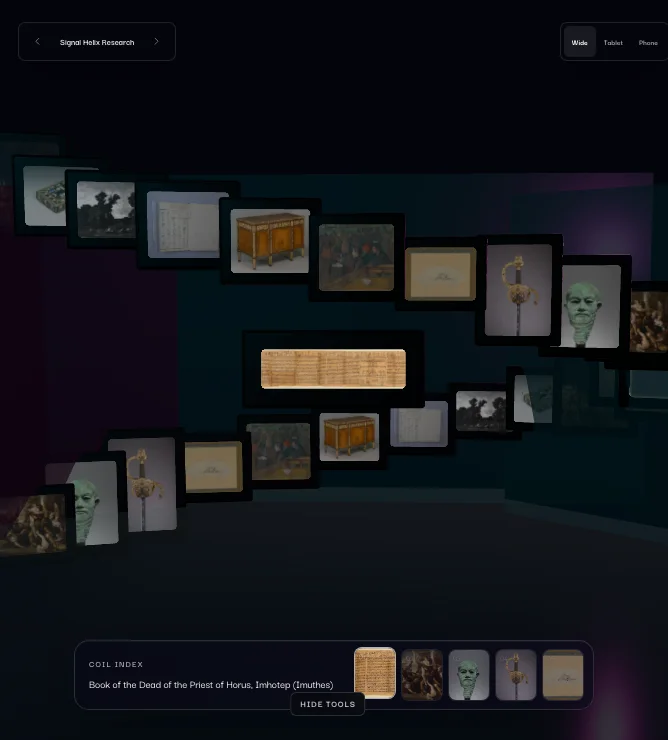
Questions, answered plainly.
Do I need 3D skills?
No. Scenes are already built and directed — you choose one and shape it with plain controls like depth, spacing, and light. There is no modeling, rigging, or code.
Can I use images and video?
Yes. Scenes are designed for still images and motion together. Today the Studio runs on labeled sample collections; uploading your own media arrives with the founding beta.
Does it work on phones?
Yes. Every world has a phone path with touch, reduced-motion support, and a clear index — the same work, composed for the smaller room.
What's available today?
The live demo gallery and the Studio sandbox are open now, free, with sample collections. Creator accounts and cloud drafts are in a controlled rollout. Uploads, publishing, inquiries, and private review remain in development.
How do I join the beta?
Apply through the beta application — tell us about your work and what you present. The founding beta is a small group and every application gets a personal reply.